Golf Simulator Practice: A Session That Transfers Outside
A golf simulator can be one of the best practice tools you own.
It can also become an expensive way to hit random golf balls.
The difference is how you use it.
I spend a lot of time practicing indoors, and the biggest mistake I see golfers make with simulator practice is chasing numbers without having a clear purpose.
They hit driver.
Look at ball speed.
Hit another one.
Check carry.
Try to swing harder.
Then move to irons and start chasing a different number.
That can be entertaining, but it does not automatically make you better on the golf course.
A simulator becomes much more useful when you use it to answer specific questions.
For example:
- Where am I striking the face?
- Can I control my start line?
- How consistent is my carry distance?
- Can I hit a target with different clubs?
- Does an indoor improvement still show up outside?
That last question matters.
Because the goal is not to become a better simulator golfer.
The goal is to make better golf swings and better decisions when you get back on the course.
Do Not Start With the Numbers
Launch-monitor data can be extremely useful.
But I do not want the numbers to become the first thing you chase.
Start with the shot.
Ask:
What am I trying to improve today?
Maybe it is:
- Driver center contact
- Iron low point
- Wedge carry distance
- Start direction
- Shot dispersion
- Club gapping
Then choose the data that helps you measure that skill.
That is a much better process than staring at every number the simulator gives you.
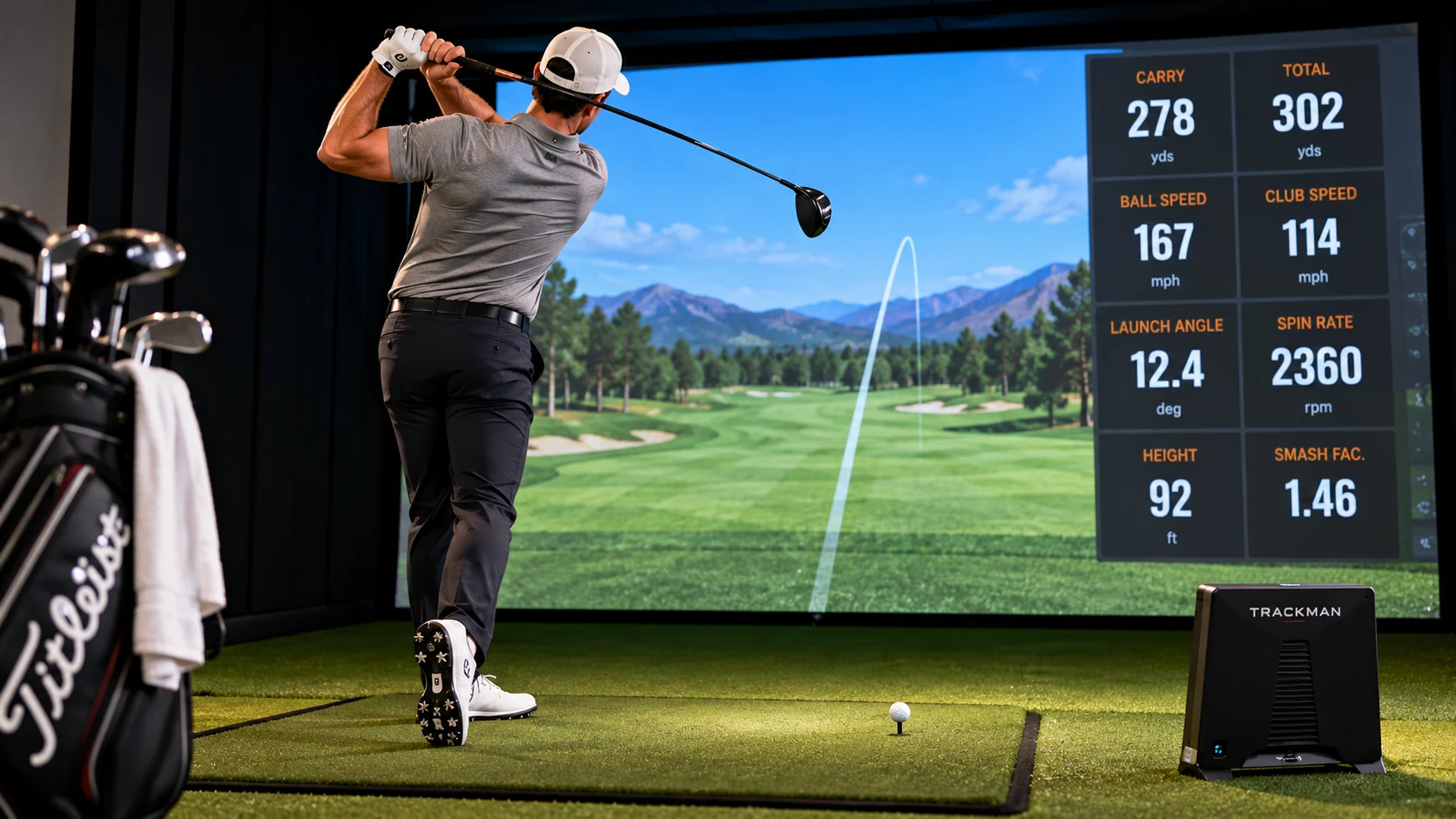
Know Which Numbers Your Simulator Actually Measures
Different launch monitors collect data differently.
Some metrics may be measured directly.
Others may be calculated or estimated.
That matters.
Before using a number as a major practice target, know what your device is actually capturing.
Depending on your setup, useful metrics may include:
- Ball speed
- Club speed
- Carry distance
- Launch angle
- Spin
- Club path
- Face angle
- Attack angle
- Face-to-path
- Smash factor
You do not need all of them during every practice session.
In fact, I usually prefer fewer numbers.
If I am working on strike, I may care about:
- Face contact
- Ball speed
- Carry
- Dispersion
If I am working on direction, I may look more closely at:
- Start line
- Face angle
- Path
- Face-to-path
Pick the data that matches the problem.
Your Indoor Environment Changes the Result
This is an important part of simulator practice.
Indoor golf is not identical to outdoor golf.
You may be hitting:
- Off a mat instead of grass
- Into a screen
- With indoor golf balls
- In a temperature-controlled room
- With no wind
- From a perfectly level stance
The launch monitor also needs enough space and correct setup to read shots properly.
That means I would not treat every indoor number as absolute truth.
Use the simulator to identify patterns.
Then verify important changes outside when possible.
Mats Can Hide Poor Contact
This is especially important with irons.
A golf mat can sometimes allow the club to slide through the surface after striking behind the ball.
On grass, that same swing may produce a heavy shot.
That is why I do not judge iron contact using ball flight alone indoors.
Add another form of feedback.
You can use:
- A towel behind the ball
- A strip of painter’s tape
- A chalk line
- Foot spray on the clubface
- A strike board or pressure mat if available
Now you are combining launch-monitor data with actual contact feedback.
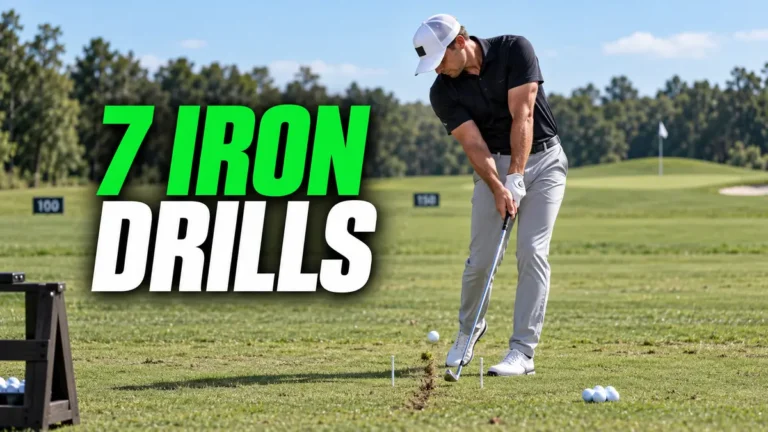
Use the Towel Test for Iron Contact
Place a towel a few inches behind the golf ball.
Start with a short iron.
Hit ten shots.
Your goal is to strike the ball without touching the towel.
Track:
- Towel contact
- Face strike
- Carry distance
- Start direction
Do not immediately change your swing after one poor shot.
Look at the pattern across ten balls.
If seven of ten touch the towel, low-point control probably deserves attention.
If none hit the towel but contact is scattered across the face, strike location may be the bigger issue.
That gives the practice session a purpose.
Run a 10-Ball Baseline Before Changing Anything
This is one of my favorite ways to use a simulator.
Before starting a drill, hit ten normal shots.
Do not exaggerate a movement.
Do not try to fix anything.
Just collect the baseline.
For each shot, track the metric connected to your practice goal.
Example: 7-Iron Contact Session
Track:
- Carry
- Face strike
- Start direction
- Ground-contact quality
You may find:
- 6 center or near-center strikes
- 3 heel strikes
- 1 thin strike
Now you know what you are actually trying to improve.
Change One Thing
This is where simulator practice can become dangerous.
You have access to so much information that it is easy to make five changes at once.
Grip.
Ball position.
Posture.
Backswing.
Downswing.
Weight shift.
Now you hit one good shot and have no idea what helped.
Instead, make one change.
Hit another five to ten balls.
Compare the result.
The simulator makes this type of testing very easy.
Use that advantage.
Retest the Same 10-Ball Sample
After the practice block, hit another ten shots.
Use the same club.
Use the same target.
Try to keep the conditions similar.
Now compare:
- Strike pattern
- Average carry
- Dispersion
- Start direction
- Number of major misses
You are not looking for perfection.
You are looking for evidence that the change improved the pattern.
Do Not Let One Great Shot Fool You
Simulator practice makes it very easy to fall in love with your best shot.
You hit one driver 285 yards.
Now that becomes the number you remember.
But what did the other nine do?
I care much more about the group.
If your driver carries:
- 258
- 261
- 255
- 263
- 260
- 256
- 259
- 262
- 257
- 260
that may be more useful than one 285-yard drive surrounded by several poor strikes.
Golf is about repeatability.
Track the pattern, not the highlight.
Use Dispersion Instead of Chasing Perfect Shots
One of the biggest advantages of a simulator is being able to see where multiple shots finish.
Use that.
Hit ten balls to one target.
Look at the dispersion pattern.
Ask:
- Is the pattern mostly left?
- Mostly right?
- Short and long?
- Is there one huge miss?
- Does the pattern tighten after a change?
This is much closer to real golf than judging only your best ball.
Practice Start Line
Choose a target.
Create a narrow start-line window.
You can use the simulator’s target line or an intermediate visual reference.
Hit ten shots.
Score:
- 2 points = starts inside the target window
- 1 point = small miss
- 0 points = large miss
Now you have a test.
That is different from standing there saying:
“I think my swing path feels better.”
Driver Practice: Strike Before Speed
Simulator golfers love chasing driver speed.
I understand why.
It is fun.
But before trying to swing faster, check where you are hitting the face.
Use foot spray or impact tape.
Hit ten drivers.
Record:
- Strike location
- Ball speed
- Carry
- Left/right dispersion
If your strike is scattered, increasing speed may make dispersion worse.
First improve contact.
Then add speed.
Create a Driver Fairway Test
Instead of just hitting driver as far as possible, create a simulated fairway.
Hit ten tee shots.
Score:
- 2 points = playable fairway or light rough
- 1 point = playable but poor position
- 0 points = penalty or recovery
This is one of my favorite ways to make simulator driver practice transfer to actual scoring.
Your goal becomes:
Hit a playable tee shot.
Not:
Create the highest club speed number.
Compare Driver With Your Safe Tee Club
This is another useful simulator test.
Hit:
- 10 drivers
- 10 fairway woods or hybrids
Compare:
- Carry distance
- Total dispersion
- Major misses
- Playable-shot percentage
Maybe driver gives you 35 more yards and nearly the same dispersion.
Great.
Maybe the shorter club removes most of your bad misses while only costing 20 yards.
That is useful course-management information.
Iron Practice: Carry Matters More Than Total Distance
When working on irons, I care much more about carry distance than total rollout.
The amount an iron rolls after landing can vary dramatically depending on:
- Green firmness
- Slope
- Spin
- Landing angle
- Weather
Carry is more useful for planning approach shots.
Hit ten balls with one iron.
Remove obvious mishits if you are building a normal carry benchmark, but do not hide them when evaluating consistency.
Track:
- Average carry
- Shortest normal carry
- Longest normal carry
- Strike location
That gives you a realistic range.
Build Your Indoor Carry Chart
You can use the simulator to create a basic club-distance chart.
Hit a reasonable sample with:
- Wedges
- Short irons
- Mid-irons
- Hybrids
- Fairway woods
- Driver
Track normal carry.
Do not simply record your longest shot.
If your 7-iron carries 158 once but most solid shots carry 149 to 153, writing down 158 will hurt you on the course.
Use your normal distance.
For more on building a distance chart, read how to find your golf club distances.
Wedge Practice Is One of the Best Uses of a Simulator
A simulator can be incredibly useful for wedge distance control.
Instead of hitting full wedges repeatedly, create carry targets.
For example:
- 50 yards
- 60 yards
- 70 yards
- 80 yards
- 90 yards
- 100 yards
Hit three balls to each distance.
Score how close your carry is to the target.
Do not worry only about where the ball finishes on the virtual green.
Focus on carry.
That is the number you can reproduce outside.
Try a Wedge Ladder
Start at 50 yards.
Hit one ball.
Then 60.
Then 70.
Then 80.
Then work back down.
This prevents you from repeating the same motion over and over.
You have to recalibrate after every shot.
That makes the practice more realistic.
Random Practice Should Finish the Session
Blocked practice has value.
If you are making a technical change, hitting several 7-irons in a row can help.
But I do not want the entire simulator session to look like that.
Golf requires constant change.
Different clubs.
Different targets.
Different distances.
Different decisions.
Finish the practice session with random shots.
Play a Simulated Hole Without Using Mulligans
Pick a hole on your simulator.
Play it like real golf.
No mulligans.
No repeating a shot because you did not like the result.
Go through your routine.
Choose targets.
Accept the result.
This is where the simulator becomes much more valuable.
You start practicing decisions instead of only technique.
A 30-Minute Golf Simulator Practice Session
Here is a simple session I would use.
Minutes 1–5: Warm Up
Start with wedges.
Move into short irons.
Do not chase numbers.
Get loose and observe contact.
Minutes 6–10: Baseline Test
Choose the skill you are working on.
Hit ten balls.
Record the result.
For example:
- 7-iron strike test
- Driver fairway test
- Wedge carry test
Minutes 11–20: Targeted Practice
Work on one change.
Use the appropriate drill.
Do not keep switching between different swing thoughts.
Minutes 21–25: Retest
Repeat the original test.
Compare the results.
Minutes 26–30: Random Practice
Change club and target after every shot.
Use a full routine.
Keep score.
Now the session includes:
Test → practice → retest → transfer.
That is much better than randomly hitting balls for 30 minutes.
The Most Important Step: Retest Outside
Indoor improvement is useful.
But I still want important changes verified outside.
Maybe you improve iron contact on the mat.
Great.
Now go to grass.
Run the same test.
Maybe your simulator says your driver carry increased.
Great.
Compare it with outdoor ball flight.
Maybe your wedge distances become extremely consistent indoors.
Take those distances to a real practice green or course.
The final test is whether the improvement transfers.
My Outdoor Retest
If I worked on 7-iron contact indoors, I would take ten balls outside.
Use the same general target.
Track:
- Strike
- Divot location
- Start line
- Carry if available
Now compare it with the indoor session.
Sometimes the result transfers immediately.
Sometimes it does not.
That is useful information.
Why Indoor and Outdoor Results Can Differ
There are several reasons.
The Mat
Grass punishes ground-first contact more than many mats.
Visual Environment
Hitting into a screen can feel different from looking down a full fairway.
Alignment
Indoor spaces sometimes make golfers aim differently.
Ball
Indoor practice balls may perform differently from the ball you play on the course.
Launch-Monitor Setup
Device placement, calibration, lighting, radar space, cameras, and other requirements can affect the accuracy of data.
That is why I focus on trends rather than becoming obsessed with one number.
Do Not Build Your Swing Around a Simulator Number
Numbers are feedback.
They are not the swing.
Do not force your body into an uncomfortable movement because you think your club path must read a specific number.
Use ball flight, strike, consistency, and your scoring needs together.
A shot that produces a technically impressive launch-monitor number but creates a terrible dispersion pattern is not necessarily better.
Use the Simulator for Scoring Skills
Simulator practice does not have to be only swing practice.
You can also work on:
- Club selection
- Target selection
- Driver strategy
- Wedge distance
- Approach dispersion
- Pressure games
This is where indoor practice becomes much more valuable.
Try a Nine-Shot Approach Game
Choose three distances.
For example:
- 100 yards
- 130 yards
- 160 yards
Hit three shots from each distance.
Give yourself:
- 2 points = green
- 1 point = safe miss
- 0 points = major miss or simulated penalty
Try to beat your score next session.
Now your simulator practice has a performance goal.
Try a Driver Pressure Game
Create a target fairway.
Hit five drives.
You must get four of five into the playable area.
Miss?
Restart.
This creates a little pressure.
You start learning how your swing responds when the result matters.
Use Simulator Practice During Winter
For golfers who live in colder climates, a simulator can keep practice consistent when outdoor golf disappears for months.
But winter practice should still have structure.
Do not spend the entire winter rebuilding your swing every week.
Choose specific skills.
Test them.
Practice.
Retest.
Then verify everything outside when spring returns.
For a full offseason approach, read my guide to winter golf practice.
How to Know Whether Simulator Practice Is Working
Look for measurable changes.
For example:
- Tighter strike pattern
- Smaller dispersion
- Better carry consistency
- Higher playable-drive percentage
- Improved wedge-distance score
- Fewer extreme misses
Then look for the same improvements outside.
That last step matters.
Indoor numbers are useful.
Outdoor transfer is the goal.
The Simulator Should Make Practice More Measurable
A simulator gives you something golfers did not always have:
Immediate feedback.
Use it.
But do not become buried in data.
Choose one problem.
Choose the numbers that help measure that problem.
Test it.
Practice it.
Retest it.
Then take it outside.
That is how I want a golf simulator to be used.
Not as an expensive driving range.
As a practice environment where you can measure whether you are actually getting better.
Want to identify which golf skill deserves your practice time first? Get my free Break 90 Blueprint and Shot Leak Audit.
For more on using data outdoors, read how to use a golf launch monitor on the driving range.
Want complete practice sessions already planned out? Explore the Foy Golf Academy Practice Plans for structured full-swing, short-game, and putting practice.